Lecture 06

E21 Computer Engineering Fundamentals

Emad Masroor

September 17, 2026

Announcements

  • Test 1 is on Tuesday, Sep 22 8:30 — 8:55 AM in SCI 199
    • Based on Lectures 1 through 4 and HW 1 and 2
    • Handwritten, closed-book, closed-notes
    • No calculators allowed (future tests might allow them)

Precision + Accuracy of Accelerometer

Characterize the precision and accuracy of the on-board accelerometer. Find true value here.

Download statisticalfunctions.py and store on CIRCUITPY.

  • Use the following skeleton code

    from adafruit_circuitplayground.express import cpx
    from statisticalfunctions import stdev
    import time
    
    def magnitude(a,b,c):
        return (a**2 + b**2 + c**2)**(1/2)
    
    # Create an empty list that will store the readings
    readings = []
    
    # Time delay between measurements
    delay = 0.1
    
    # Collect data until button b is pressed
    while True:
        # Your code here
    
    true_value = 9.806
    # Your code here

Your program should print, for example:

After 99 readings, the accelerometer reports 9.417 m/s^2 with standard deviation 0.254 and a spread of 17.4%

Dictionaries in Python

  • A dictionary is a collection of key-value pairs.

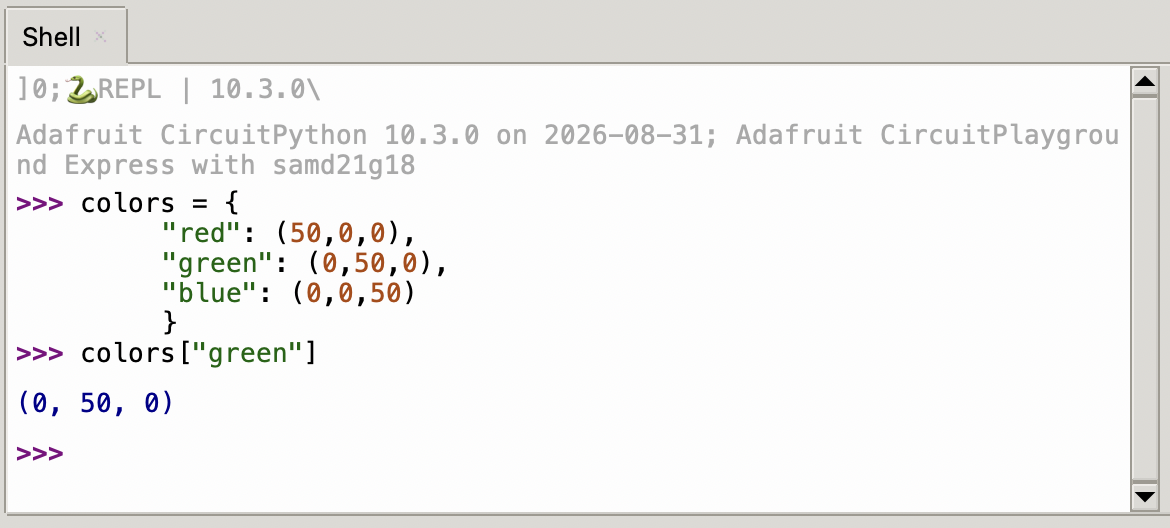
  • For example, we can define a dictionary with RGB values for common colors.

    colors = {
        "red": (50,0,0),
        "green": (0,50,0),
        "blue": (0,0,50)
        }
  • To use this dictionary,

Constructing dictionaries

There are two equivalent approaches:

  1. Curly braces followed by key: value pairs separated by commas:

    colors = {"red": (50,0,0),"green": (0,50,0),"blue": (0,0,50)}
  2. The dict function

    colors = dict([('red', (50,0,0)), ('green', (0,50,0)), ('blue', (0,0,50))])

Note

Python allows optional new lines to make code more readable:

  • Code all in one line:

    colors = dict([('red', (50,0,0)), ('green', (0,50,0)), ('blue', (0,0,50))])
  • Code separated by new lines

    colors = dict(
        [
            ('red', (50,0,0)),
            ('green', (0,50,0)),
            ('blue', (0,0,50))
        ])

Writing a function to control NeoPixels

Write a function for the Circuit Playground Express that:

  • takes three arguments:
    • a string denoting the color (choose 5 colors from https://rgbcolorpicker.com/)

    • a number from 0 to 9 denoting which pixel to switch on.

    • a number from 0 to 1 denoting the brightness

      cpx.pixels.brightness = 0.5 # sets the brightness to half
  • makes use of a dictionary
from adafruit_circuitplayground.express import cpx

# Color definitions

mycolors = {
    "red":    (255,0,0),
    "green":  (0,255,0),
    "blue":   (0,0,255),
    "orange": (255,160,0),
    "teal":   (0,255,236)
    }

def lightup(colorname,pixelnum,b):
    color_tuple = mycolors[colorname]
    cpx.pixels[pixelnum] = color_tuple
    cpx.pixels.brightness=b
    return None

Debugging code using Thonny Code Editor

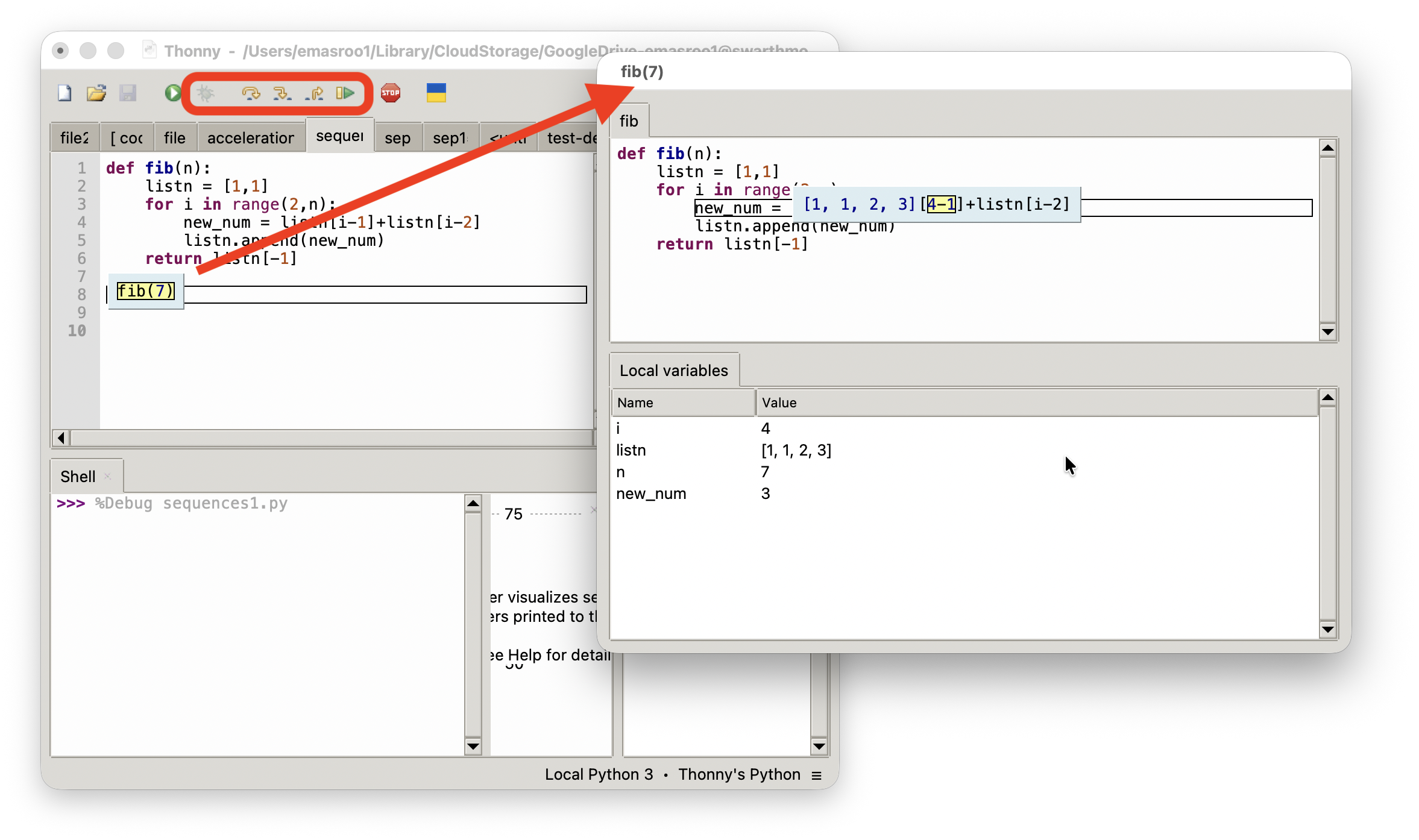
By pressing the button, Thonny enters debugging mode

More about Python lists + tuples

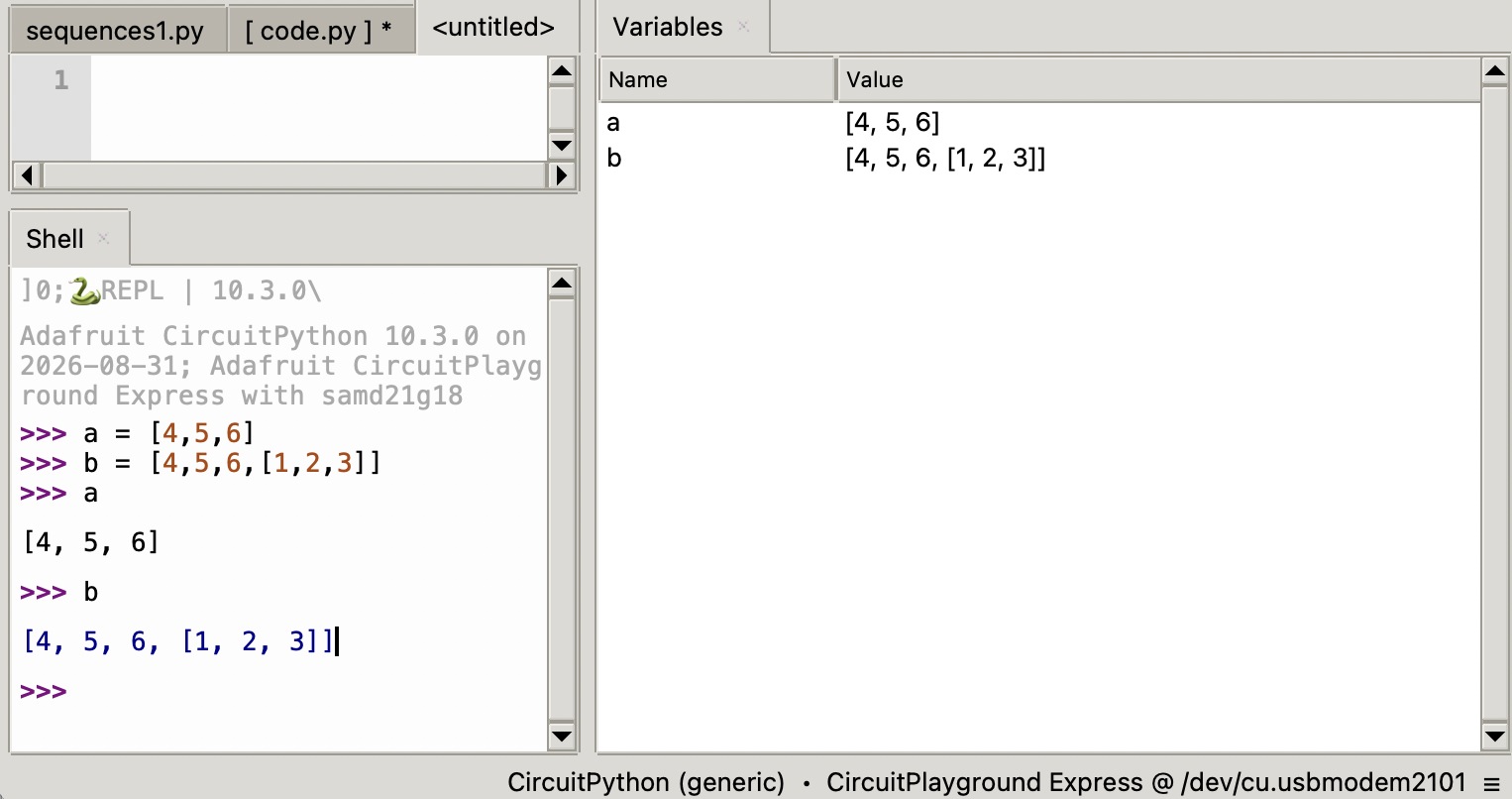
  • A Python iterable, such as a list or tuple, can contain another iterable
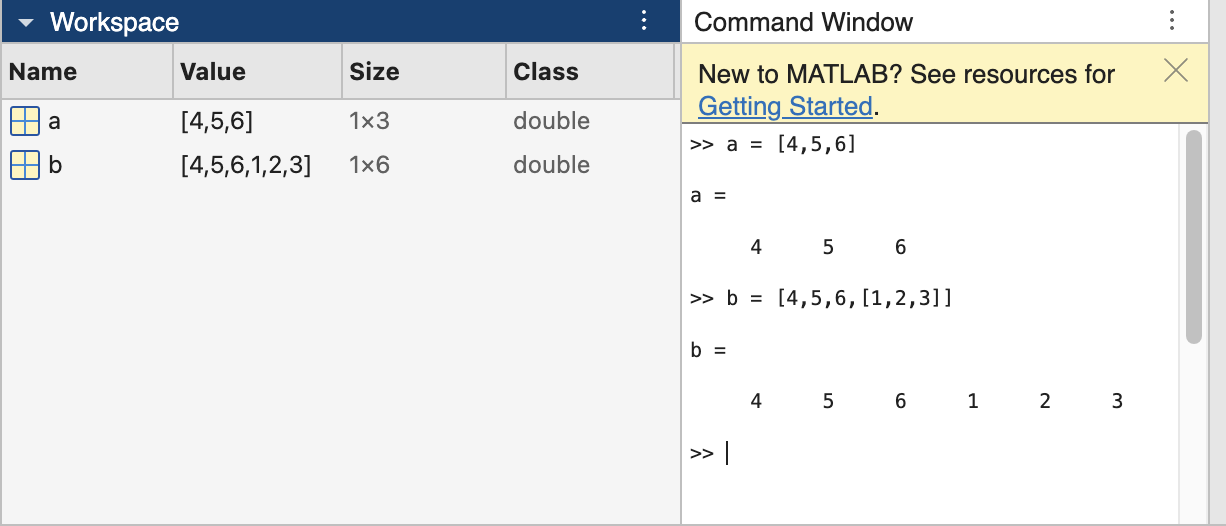
  • Python allows lists of lists, etc; MATLAB does not.
  • Python allows chaining multiple [] commands:
>>> from adafruit_circuitplayground.express import cpx
>>> cpx.pixels
[(0, 0, 0), (0, 0, 0), (0, 0, 0), (0, 0, 0), (0, 0, 0), (0, 0, 0), (0, 0, 0), (0, 0, 0), (0, 0, 0), (0, 0, 0)]
>>> cpx.pixels[4] = (45,50,2)
>>> cpx.pixels
[(0, 0, 0), (0, 0, 0), (0, 0, 0), (0, 0, 0), (45, 50, 2), (0, 0, 0), (0, 0, 0), (0, 0, 0), (0, 0, 0), (0, 0, 0)]
>>> cpx.pixels[4][1]
50
>>> 

Reviewing lists vs tuples

Why does this work:

cpx.pixels[6] = (40,0,0)

But this does not?

cpx.pixels[6][0] = 40

The Nested for loop over a list\(^*\) of lists\(^*\)

\(^*\) or any iterables (list, range, tuple)

  • Consider the list of lists:

    a = [[5,6,7],
         [1,2,9],
         [4,8,3]]
  • Write a for loop that prints every element in a

  • Solution

    for j in a:
      print(j)
  • Write a pair of nested for loops that print every element inside every element in a with the order: 5, 6, 7, …

  • Solution

    for thing in a:
        for thing2 in thing:
            print(thing2)

Nested for loops using indices

We can print every element in a using

  for j in a:
    print(j)
  • Another approach is to use the index:

    for k in range(len(a)):
      print(a[k])
  • Use the indices to print every element inside every element in a:

  • Solution

    for k in range(len(a)):
        element = a[k]
        for m in range(len(element)):
            entry = element[m]
            print(entry)
  • Print every element inside every element in a without using indices, i.e. no [] notation.

  • Solution

    for thing in a:
        for entry in thing:
            print(entry)

Two-level loops for raster scanning in TFWR

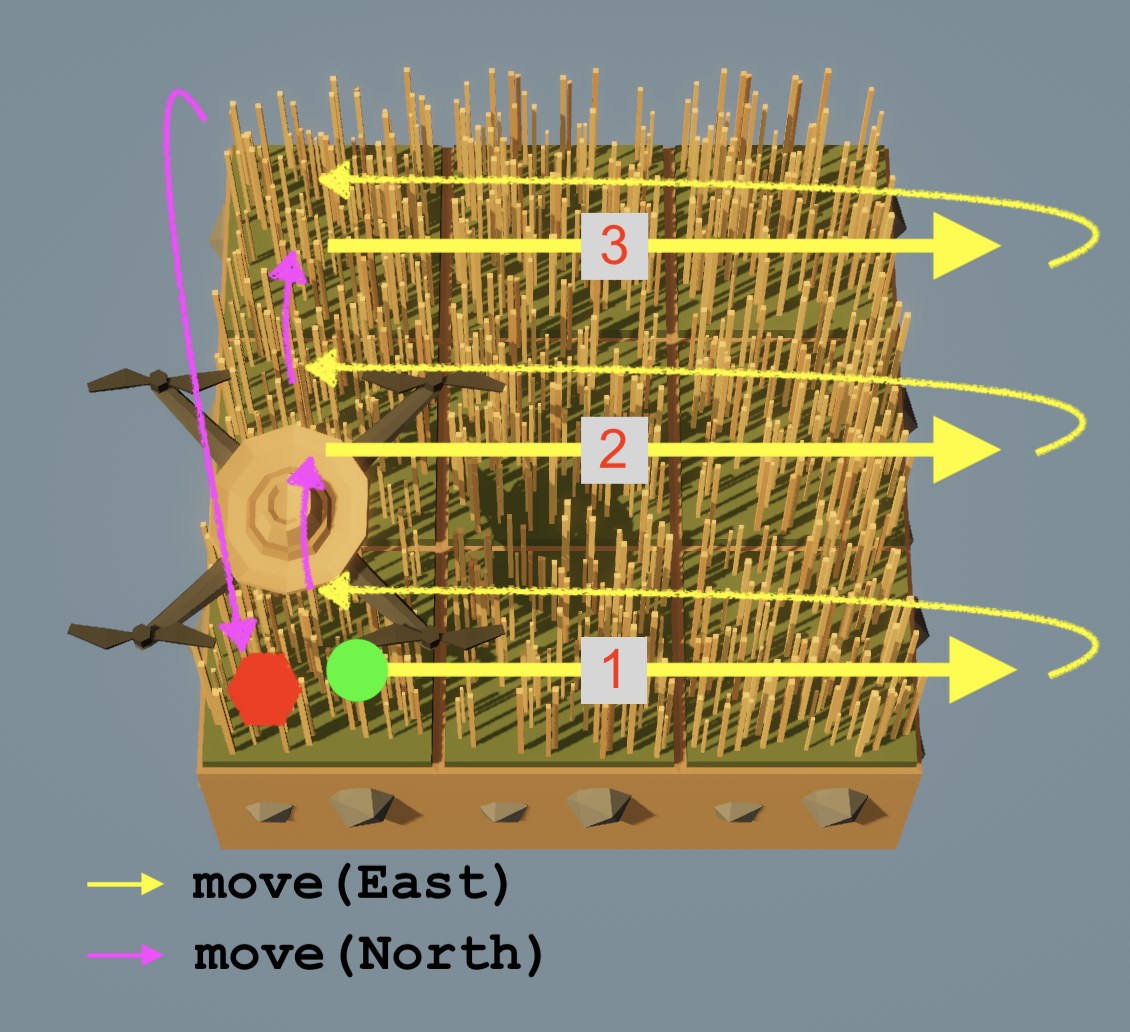
  • ‘Raster scan’ refers to a systematic ‘sweeping’ of a two-dimensional rectangular area.

  • Harvest grass with your drone using East-then-North raster scanning in three different ways:

    1. Without loops
    2. Using one for loop
    3. Using two for loops