Lecture 11
E21 Computer Engineering Fundamentals
October 6, 2026
A simple Finite State Machine
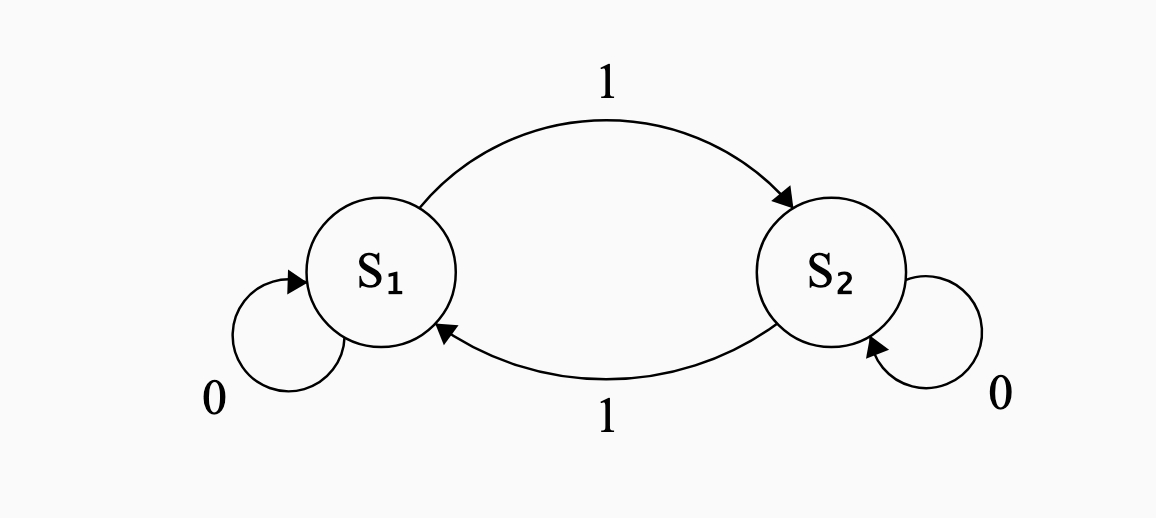
- Two states: \(S_1\) and \(S_2\)
- One binary input, \(1\) or \(0\)
- The transitions are shown in the following state-transition diagram
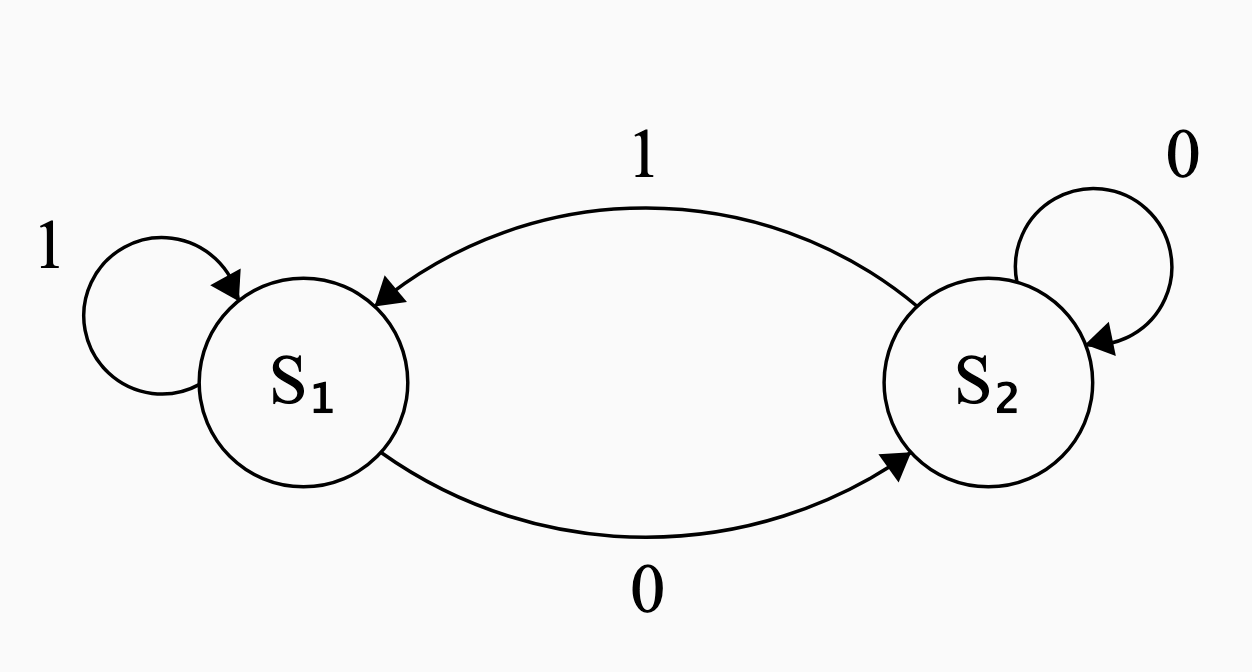
- The arrows are labeled with the inputs
- Circles are the states
Reading a State-Transition Diagram
- When state \(S_1\) receives input \(0\), the system goes into state \(S_2\)
- When state \(S_2\) receives input \(1\), the system goes into state \(S_1\)
- Giving input \(0\) to state \(S_2\) or input \(1\) to state \(S_1\) does not change the state
- but for completeness we make self-pointing arrows.
Interpreting a State-Transition Diagram
But what does this mean?
- A Finite State Machine is a ‘mental model’ for a real system
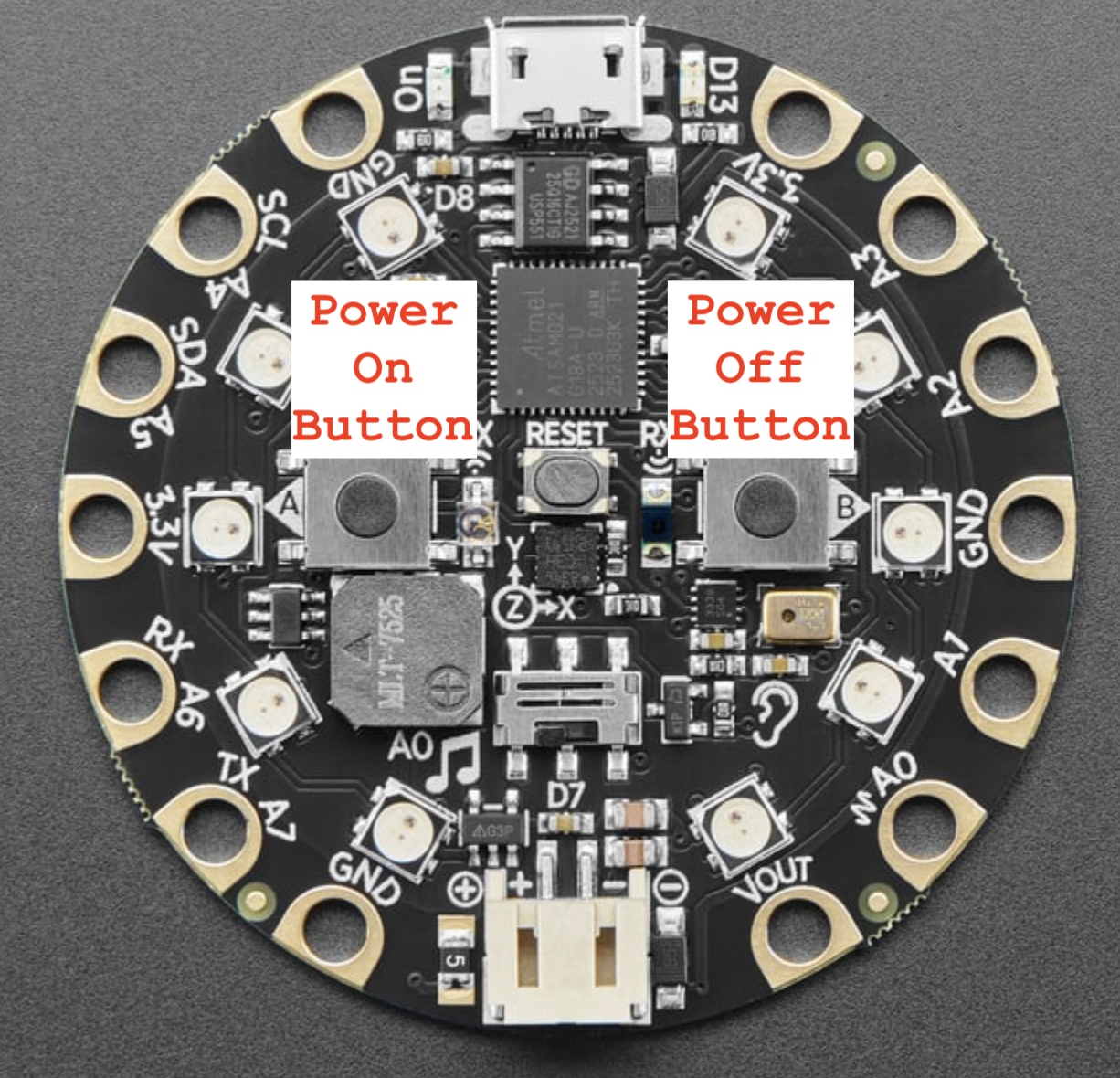
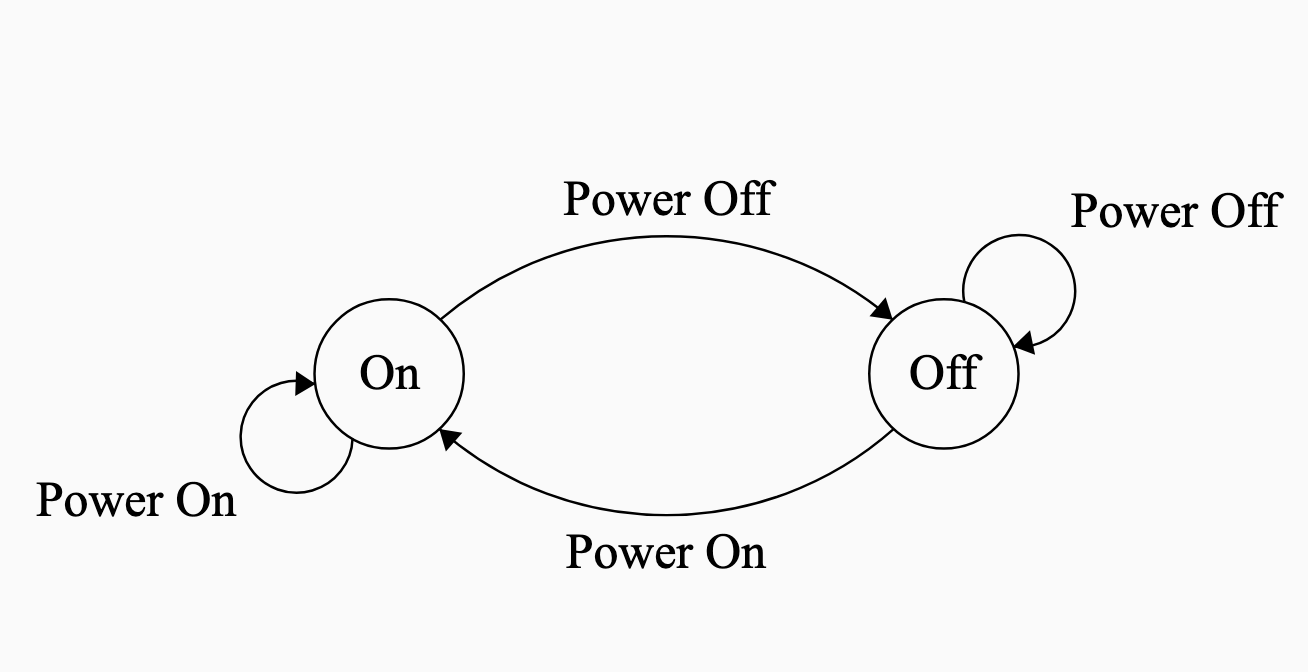
- A simple “power off/on button” for a light bulb.
![]()
- States represent whether light is on/off
- Inputs: Button A, Button B
Another Finite State Machine
Interpret the following state-transition diagram. What kind of system could it represent?
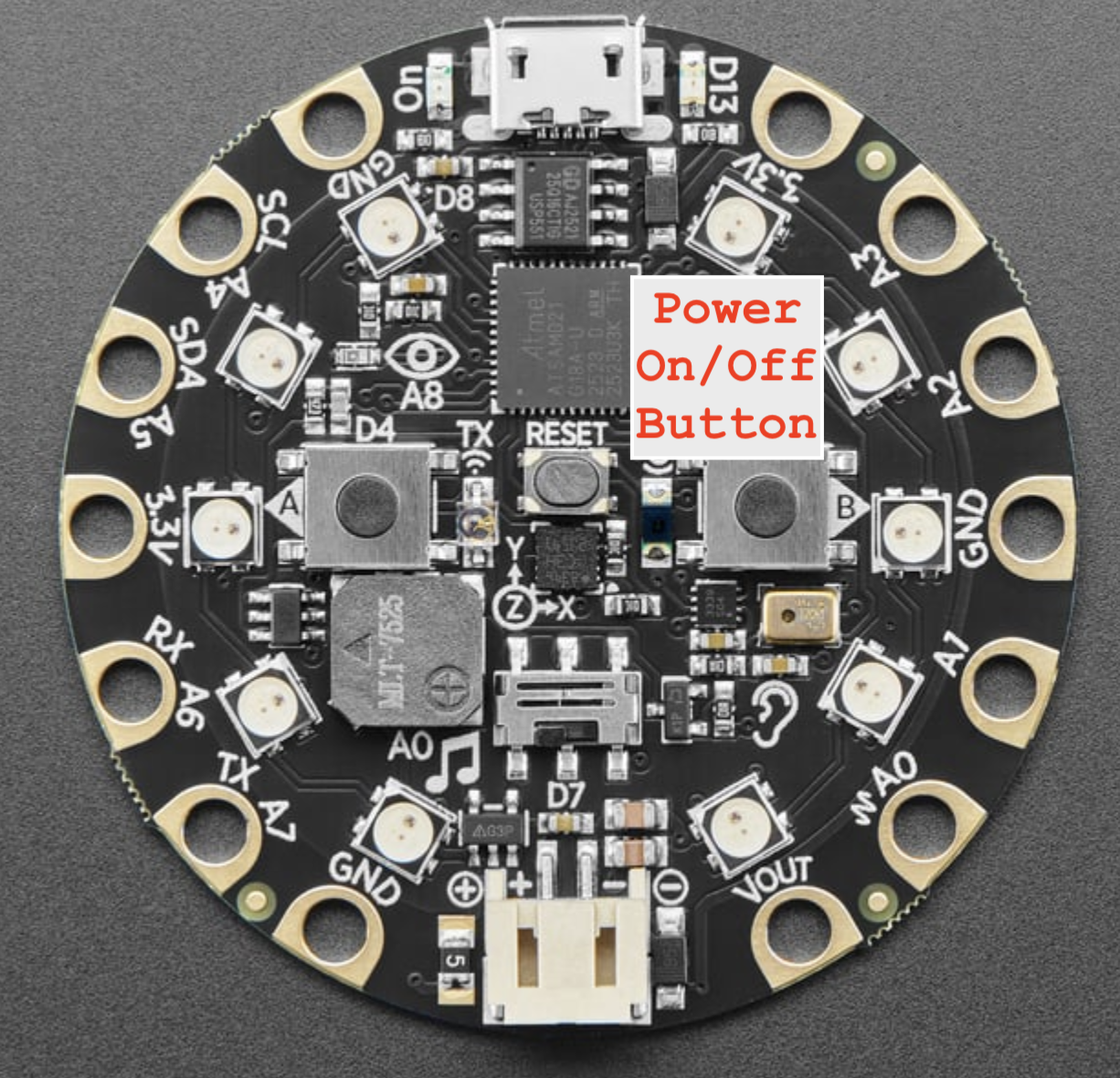
Inputs:
1: Power Button Pressed0: Power Button not pressed
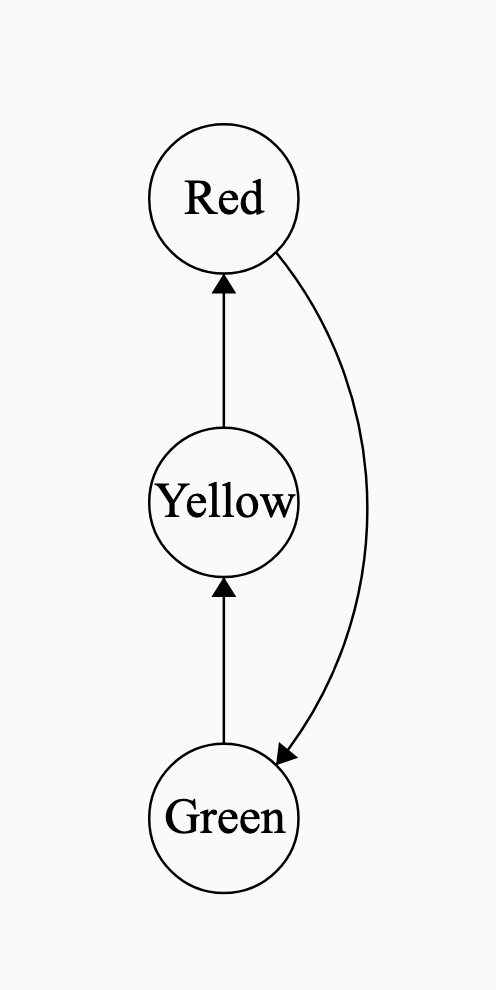
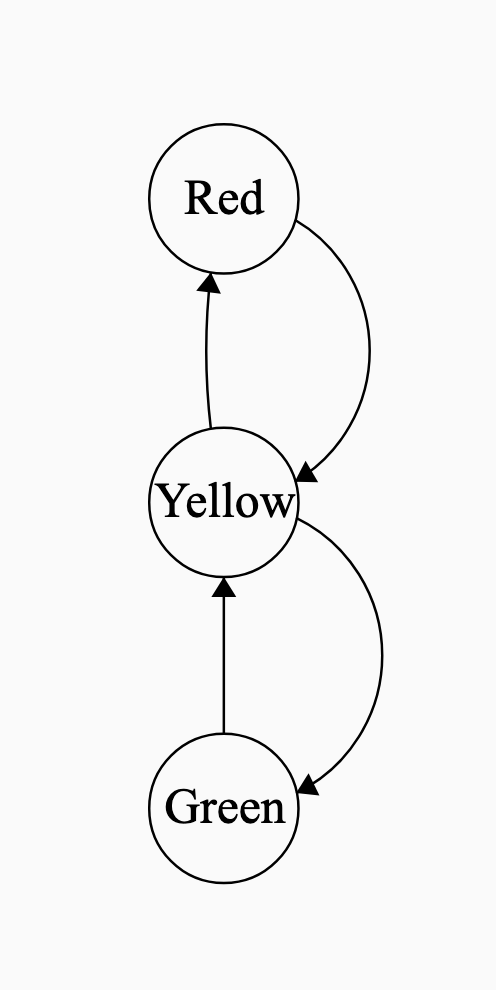
State Transition Diagrams with no input
Helpful even when there’s no input
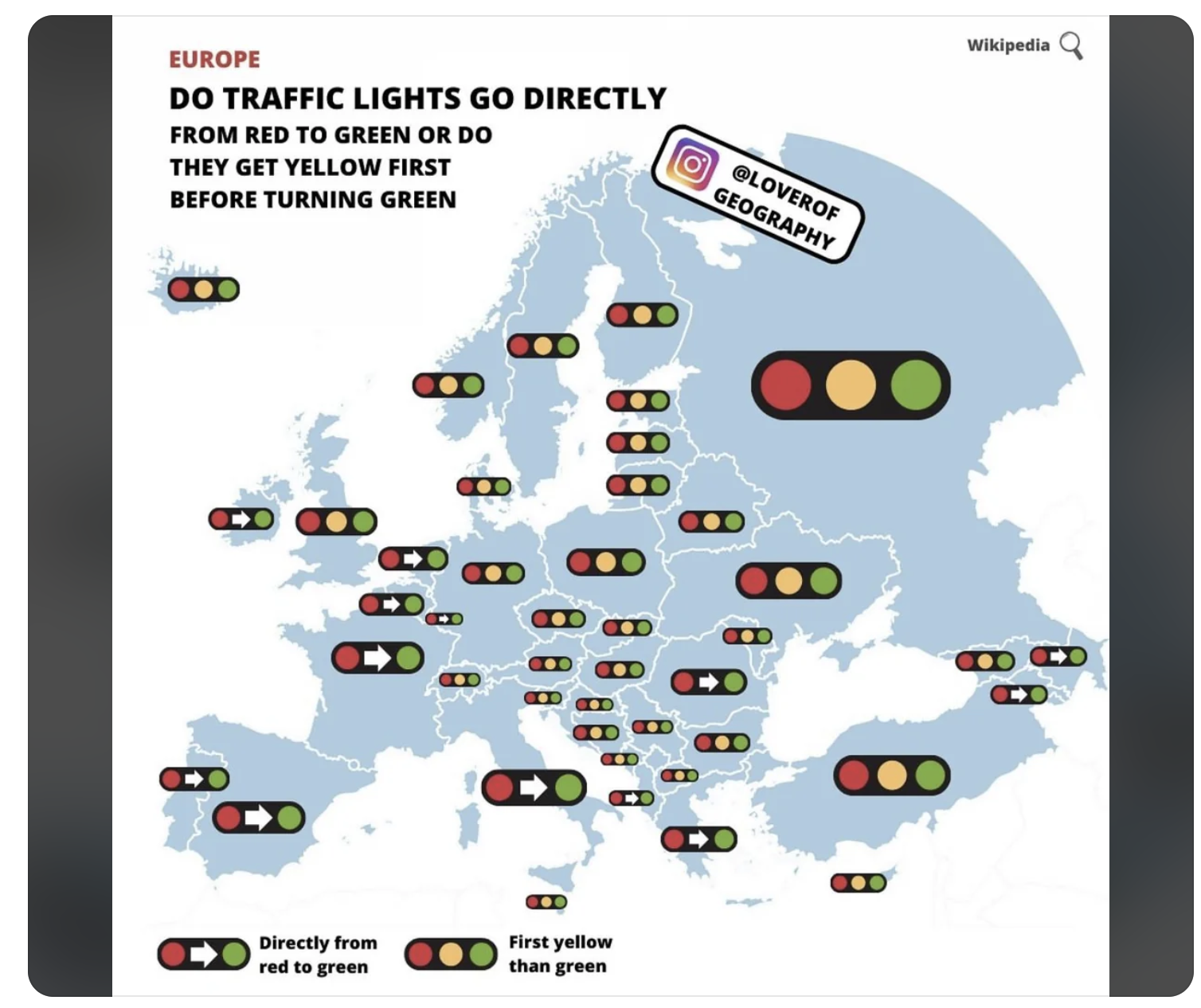
Traffic lights
![]()
FSM for U.S. traffic lights and U.K. traffic lights
![]()
![]()
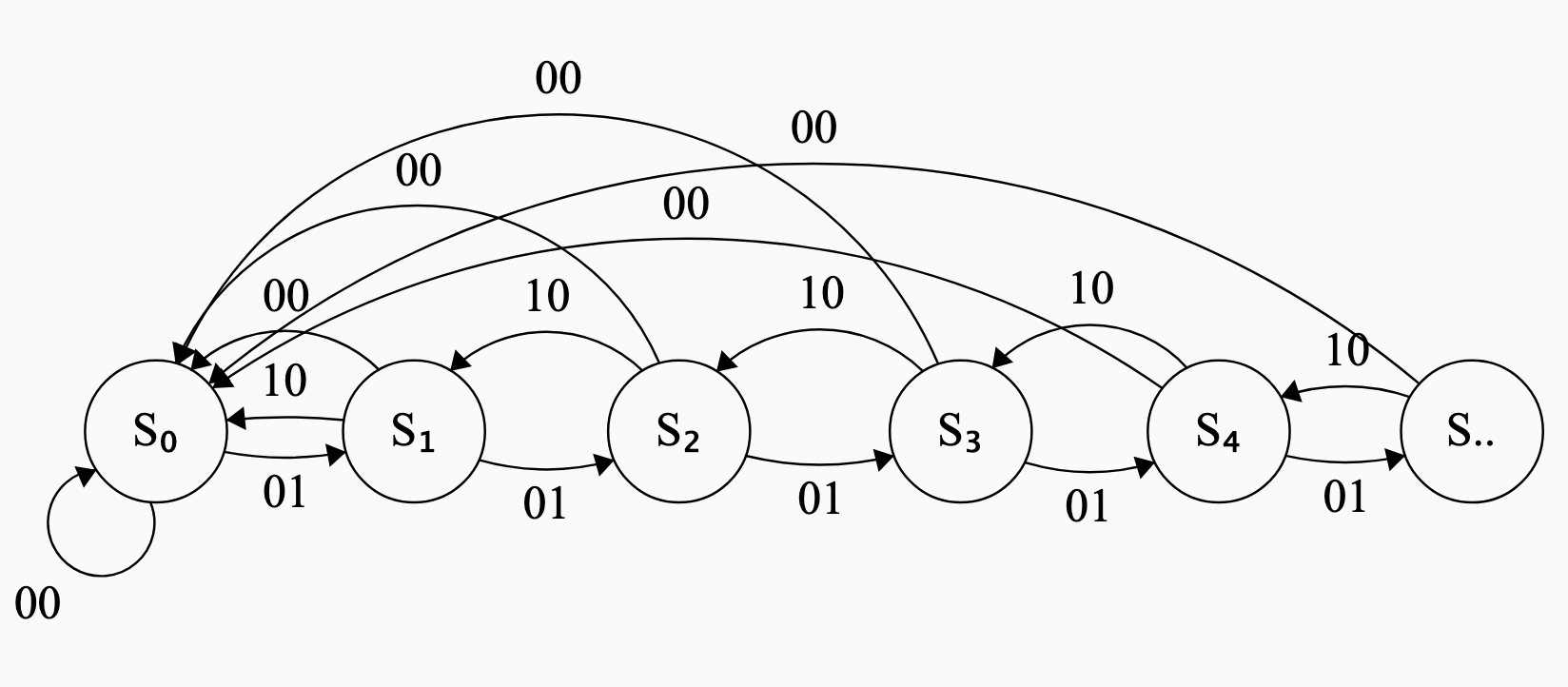
Finite State Machine for a counter
- Keeps count up to \(n\) steps.
- State \(S_1\) implies we have counted up to \(1\).
- State \(S_n\) implies we have counted up to \(n\).
- Three possible inputs to the system.
- Increment ( follow the
01arrows) - Decrement ( follow the
10arrows) - Reset (follow the
00)
- Increment ( follow the
State Transition Diagram for lock
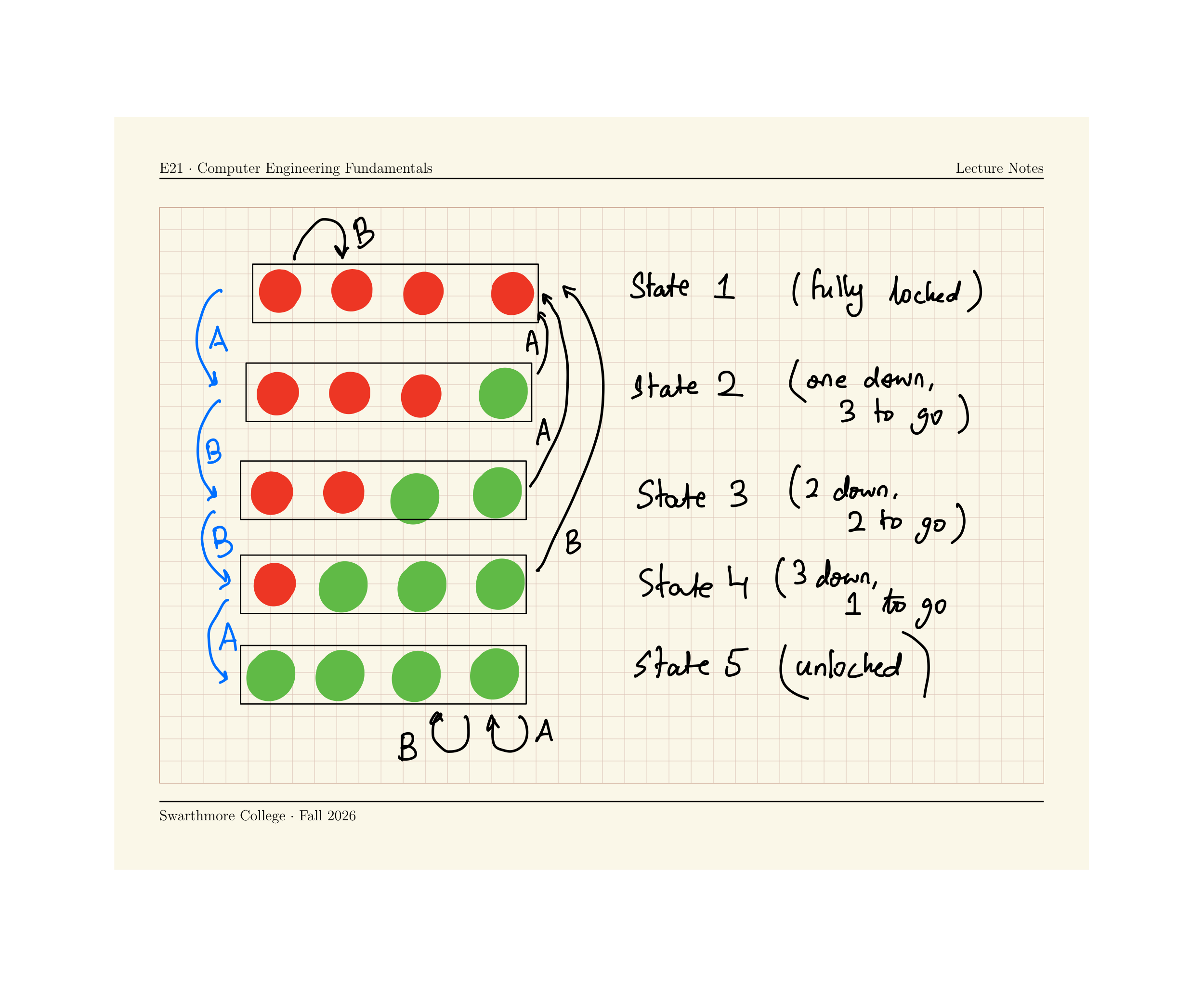
ABBA opens the lock.